Table of Contents
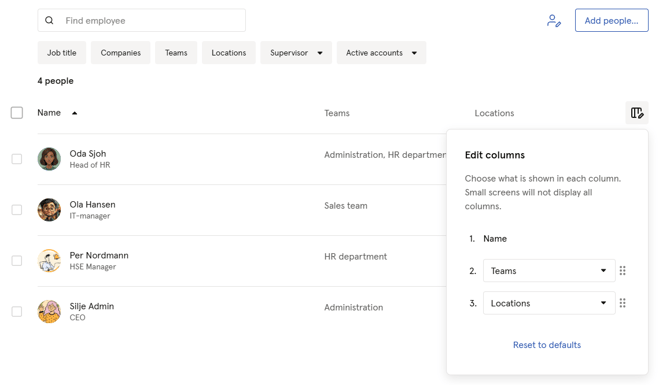
Edit columns
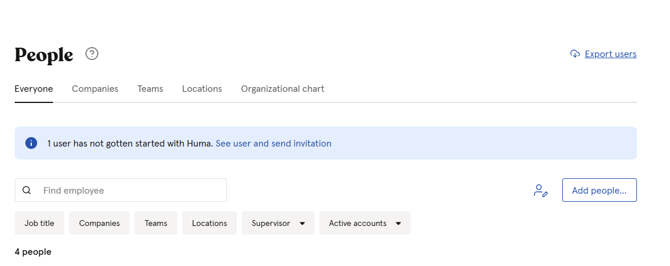
You can customize which columns are displayed in your people list to focus on the information most relevant to your HR processes.
To edit columns
- Go to the "People module"
- Click on the "Table icon"
- Choose which column you want to display in 2. and 3.
- You can always click "Reset to defaults" to go back to the originally settings
- You can reorder the list by dragging 2. and 3.
Display Email addresses
In the People list you can choose to display column as Email addresses.
- Go to "People module"
- Navigate to "Edit colums"
- Choose "Email address"
Export
Alternatively, if you prefer not to use the People list for searching, you can export all user information to a single downloadable file using the "Export users" feature.
- Go to the "People Module"
- Click "Export users" at the top right corner
- Choose which users you want to include
- Choose "Account status" (Active/deactivated)
- "What" - what should be exported
- "Continue"
- Choose format
- "Download"