
Table of Contents
- Roles and access
- What is the activity log?
- What you can see
- Filter the activity log
- Common use cases
- FAQ
Roles and access
| Access | Role |
|---|---|
| View the activity log | System role: Activity log |
What is the activity log?
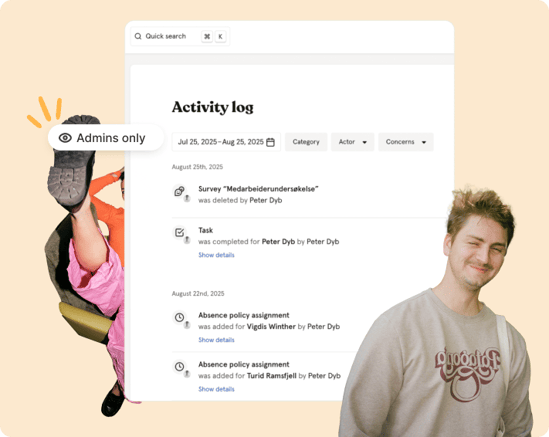
The activity log gives you a complete overview of all changes made in Huma, whether by a person, an integration or the system itself. It is especially useful for HR administrators who need to track updates, investigate changes or maintain transparency across the organisation.
What you can see
Each entry in the activity log shows:
| Field | Description |
|---|---|
| Actor | Who performed the action — a person, an integration or the system |
| Action | What was done — for example created, updated or deleted |
| Target | Who or what the action was performed on |
| Category | Which part of Huma the change belongs to |
| Date and time | When the change was made |
💡 The activity log shows what changed and who changed it, not the full content of the change. Click the link in an entry to go directly to the affected item for more details.
Filter the activity log
You can combine filters to narrow down your search:
| Filter | Description |
|---|---|
| Date | Choose a specific date range or use shortcuts — this month, last month, this quarter, last quarter, this year, last year |
| Category | Filter by which part of Huma the change belongs to |
| Actor | Filter by who made the change |
| Concerns | Filter by who or what the change was about |
💡 Combining filters gives you more precise results, for example filtering by Actor + Category + Date to find all role changes made by a specific person last month.
Common use cases
-
Who changed a role or permission recently?
Filter by Category: Roles and the relevant date range to see all role and permission changes. -
What did a specific integration send or change?
Filter by Category: Integration and Actor: the integration name to see all changes made by that integration. -
What happened to a specific employee last week?
Filter by Concerns: the employee's name and the relevant date range to see all changes related to them. -
Were any salary changes made this month?
Filter by Category: Salary and Date: this month to get a full overview. -
Who has been making changes to the handbook?
Filter by Category: Handbook and the relevant date range to see all handbook changes and who made them.
FAQ
Can I export the activity log?
No. The activity log cannot be exported directly. You can use the filters to find the information you need and take a screenshot if you need to share it.
How far back does the activity log go?
The activity log retains data based on your subscription plan. Contact Huma support if you need information about the retention period for your account.
Can I see changes made by integrations?
Yes. Filter by Category: Integration to see all changes made by connected integrations, or filter by Actor and select the specific integration.
Can all administrators see the activity log?
No. Access to the activity log requires a specific system role: Activity log. Not all administrator roles include this by default.