
Table of Contents
- Roles and access
- What is Glede?
- Enable or disable Glede
- Send a gift card
- Who can receive a gift card?
- How it works
- FAQ
Roles and access
| Access | Role |
|---|---|
| Send gift cards via Glede | System role: Users → User management |
What is Glede?
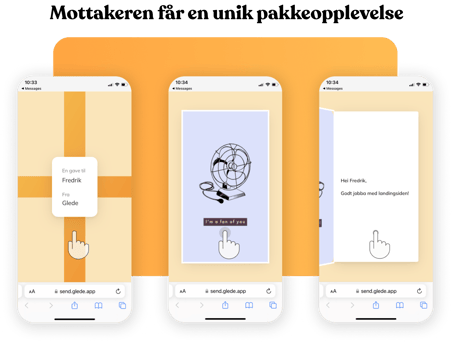
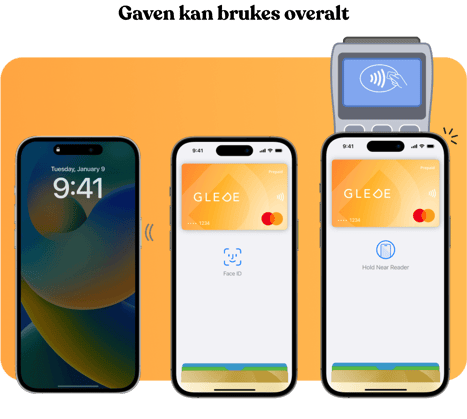
Glede is a gift card service that lets you celebrate employees on their birthday or work anniversary, directly from Huma. With a few clicks, the employee receives an SMS or email with a gift card they can use however they like.
When you send a gift card, Huma shares the employee's name, email address and phone number with Glede to pre-fill the gift card form.

Enable or disable Glede
Glede is enabled by default for new Huma accounts. To enable or disable it:
- Go to System settings
- Navigate to "Manage modules"
- Find "Glede gift cards" under the People section
- Toggle it on or off
Send a gift card
From the dashboard:
- Go to your dashboard in Huma
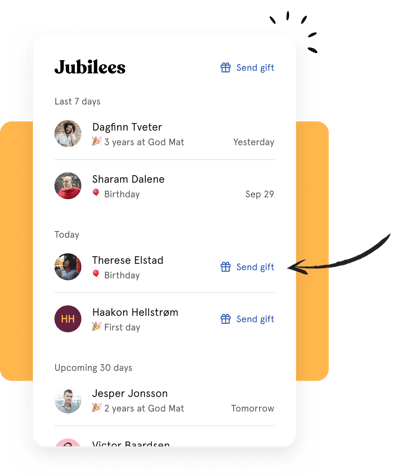
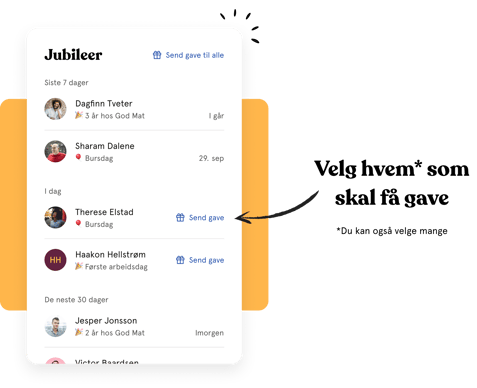
- Find the "Jubilees" section
- Click "Send gift" next to the employee you want to celebrate
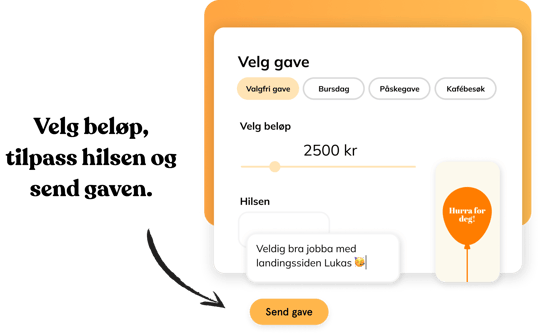
- Follow the steps in Glede to complete the gift card
From an employee's profile:
- Go to the People module and open the employee's profile
- Click the three dots in the top right corner
- Click "Send gift"
- Follow the steps in Glede to complete the gift card
Send to multiple employees at once:
-
You can send gift cards to several people at the same time by selecting multiple employees from the Jubilees section on the dashboard.
- Click "Send gift" on dashboard and select multiple employees
💡 Phone number and currency are pre-filled automatically for employees with a Norwegian, Swedish, Danish or Finnish phone number. For other countries, these fields must be filled in manually in Glede.
⚠️ Glede has an age limit of 18 years. Always verify that the recipient is 18 or older before sending a gift card.
Who can receive a gift card?
Any employee in Huma can receive a gift card through Glede, as long as they have an email address registered in Huma. You can also send gift cards to employees who do not have an upcoming anniversary.
This is how the integration works
FAQ
Does the employee need to have a Norwegian phone number to receive a gift card?
No. Any employee with an email address can receive a gift card. However, phone number and currency are only pre-filled automatically for employees with a Norwegian, Swedish, Danish or Finnish phone number. For other countries, these fields must be filled in manually in Glede.
Age limit for buying gift cards in Glede
Glede has an age limit of 18 years for purchasing gift cards. This means that if the recipient is under 18, they may not be able to complete the purchase in Glede. This is a limitation set by Glede, not by Huma.
Can I send a gift card to someone who is not an employee in Huma?
Not directly through Huma. The Glede integration in Huma only supports sending gift cards to employees registered in your account. If you want to send a gift card to someone outside your organisation, you can do this directly through Glede's website.
What information is shared with Glede?
When you send a gift card, Huma shares the employee's first name, last name, email address and phone number with Glede to pre-fill the gift card form.