
Table of Contents
- Why add colleagues to your contacts?
- Roles and access
- Add one colleague
- Add several colleagues at once
- What is saved in your contacts
- Remove imported contacts
- FAQ
Why add colleagues to your contacts?
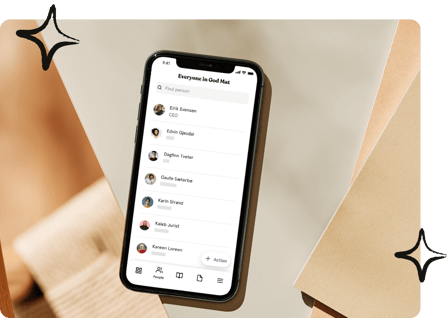
When you save colleagues in your phone's contacts, you see who is calling or sending a message, even when the Huma app is closed. You can add one colleague from their profile, or add a whole team, location or company in one go.
Roles and access
| Access | Role |
|---|---|
| Add colleagues to your phone's contacts | All employees with access to the People module, no role required |
| Which information is saved | The profile fields you have access to see |
💡 The first time you add a contact, the app asks for permission to access your phone's contacts. Tap "Allow" to continue.
Add one colleague
- Open the colleague's profile
- Tap the menu (three dots) at the top of the profile
- Tap "Add to contacts"
- The colleague is saved in your phone's contacts.
-1.png?width=247&height=537&name=File%20(1)-1.png)
Add several colleagues at once
- Go to People
- Open the list you want to add from, for example Everyone or a specific team, location or company
- Tap the menu (three dots) at the top of the list
- Tap "Add to contacts"
- Select the people you want to add, or tap "Select all"
- Tap "Continue"
- The app shows how many contacts were created and how many were updated.
💡 If a colleague already exists in your contacts, the existing contact is updated instead of creating a duplicate.
-1.png?width=213&height=463&name=File%20(2)-1.png)
What is saved in your contacts
The following information is saved, if it is filled in on the profile and you have access to see it:
- Full name and preferred name
- Email address
- Phone number
- Organisation name
- Job title
- Profile picture
Remove imported contacts
The contacts stay on your phone even if you delete the Huma app.
On iOS:
- Tap "Menu"
- Tap the settings icon in the top right corner
- Tap "Remove imported contacts"
- Confirm by tapping "Remove"
📱 On Android: Remove the contacts in your phone's contacts app.
⚠️ Contacts you remove are deleted from your phone. You can add them again from Huma at any time.
FAQ
Are the contacts updated automatically if a colleague changes their phone number?
No. The contact is saved as it is when you add it. Add the colleague again to update the contact.
Will I get duplicate contacts if I add the same person twice?
No. If the person already exists in your contacts, the existing contact is updated.
I tapped "Don't allow" when the app asked for access. What now?
Open your phone's settings, find Huma and allow access to Contacts. On iOS, the app shows a button that takes you straight to the right setting.
Why is some information missing from the contact?
Only fields that are filled in on the profile, and that you have access to see, are saved.
Can my administrator add contacts to my phone?
No. Contacts are only added when you choose to do it in the app on your own phone.