
Table of Contents
- Roles and access
- What is the Whistleblowing module?
- Whistleblowing vs Deviation
- Activate Whistleblowing
- Notifications
- FAQ
Roles and access
| Access | Role |
|---|---|
| Handle whistleblowing cases | System role: Whistleblowing → Whistleblowing case handling |
| Activate whistleblowing and manage settings | System role: Roles and permissions |
| Submit a report | Anyone — no account or role required |
💡 When you activate Whistleblowing in Huma, a new system role called "Whistleblowing handler" is automatically created. You can assign this role to the relevant people directly during setup.
What is the Whistleblowing module?
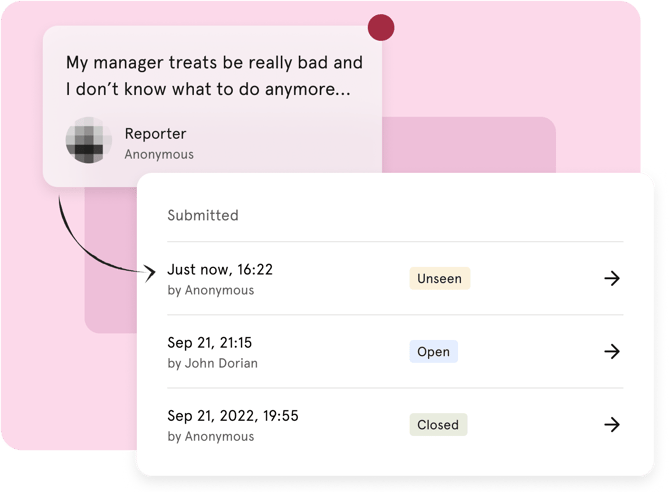
The Whistleblowing module gives your organisation a secure and confidential channel for reporting serious misconduct, legal violations or unethical behaviour. It is designed to help you comply with local laws and the EU Whistleblower Protection Directive.
All employers with more than 50 employees (5 in Norway) are required by law to have an internal reporting channel that is easily accessible. As an employer, you also have a duty of diligence — meaning you are obligated to conduct thorough investigations within a reasonable timeframe.
Unlike most other modules in Huma, the Whistleblowing portal is accessible to anyone — not just employees with a Huma account. This means external parties such as contractors, suppliers or former employees can also submit reports.
💡Reports are handled exclusively by designated case handlers in your organisation. No one else in Huma can see the cases.
🔗🇳🇴 More about whistleblowing requirements for Norwegian organisations.
🔗🇸🇪 More about whistleblowing requirements for Swedish organisations.
Whistleblowing vs Deviation
Both modules allow people to report concerns, but they serve different purposes:
| Whistleblowing | Deviation | |
|---|---|---|
| Purpose | Report serious misconduct, legal violations or unethical behaviour | Report HSE incidents, near-misses, safety hazards and quality issues |
| Who can report | Anyone — including people outside the organisation | Employees only |
| Anonymous reporting | Yes | Yes |
| Access code | Yes — required to follow up on the case | No |
🔗 Read more about Deviation reporting in Huma.
Activate Whistleblowing
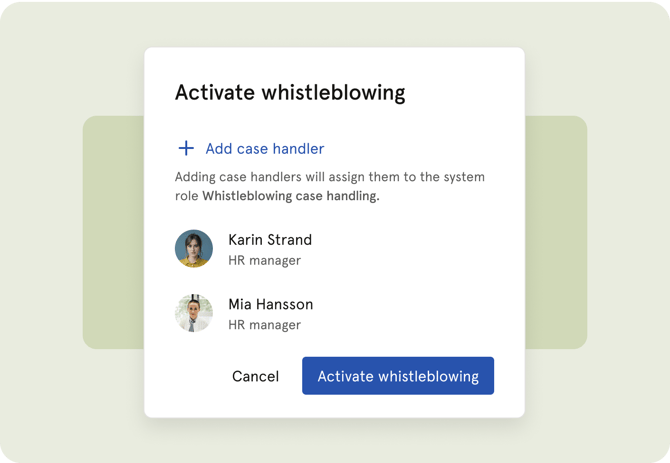
Whistleblowing must be activated before it can be used. You need a system role with Roles and permissions access to do this.
- Go to System settings
- Navigate to "Whistleblowing"
- Click "Activate whistleblowing"
- Add the people who should handle incoming cases — they will automatically be granted the Whistleblowing handler role
- Click "Activate"
- Share the whistleblower portal link with employees and anyone else who should be able to submit reports
💡 Consider making the portal link easily accessible — for example on your company website or intranet. The portal is external and does not require a Huma account to use.
⚠️ If no case handlers are added during setup, incoming reports cannot be handled until a roles administrator assigns at least one case handler.
🔗 Read more about manage whistleblowing.
🔗 Read more about reporting a whistleblowing.
Notifications
| Event | Who receives it |
|---|---|
| New report submitted | All case handlers |
| New report submitted — no case handlers configured | Organisation administrators receive a prompt to set up case handlers |
| Case updated by reporter | Case handlers |
| Case updated by case handler | The reporter — via email, if they provided a notification email address when submitting |
| Acknowledgement reminder — 7 days after submission | Case handlers, if the case has not yet been acknowledged |
| Closing reminder — 3 months after submission | Case handlers, if the case is still open |
FAQ
Who can submit a report?
Anyone — employees, hired workers, contractors, suppliers or external parties. A Huma account is not required. Reports are submitted through an external portal that anyone can access.
What is the difference between Whistleblowing and Deviation?
Whistleblowing is for reporting serious misconduct or legal violations. Deviation is for reporting HSE-related issues such as accidents, near-misses or safety hazards.
🔗 Read more about Deviation reporting in Huma.
Can a report be made anonymous?
Yes. Reporters can choose to remain anonymous. Their identity is kept confidential to the extent permitted by law. Huma does not track IP addresses, geolocation, browser fingerprints or other identifying information about reporters.
Can a case be reopened after it is closed?
Yes. Both the reporter and the case handler can reopen a case within 1 month of it being closed. After that, the case cannot be reopened.
Is it possible to attach files to a report?
Not yet. File attachments are not currently supported in the Whistleblowing module.