
Table of Contents
- Submit a report
- Anonymity
- Your access code
- What happens after you submit
- Follow up on your case
- Case statuses
- FAQ
Submit a report
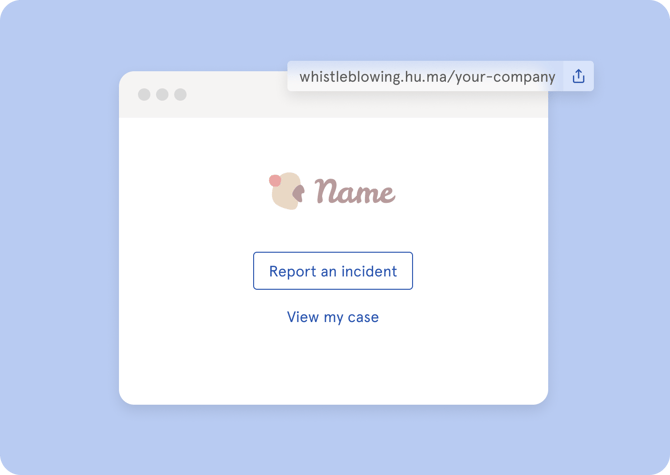
The Whistleblowing portal is accessible to anyone, and you do not need a Huma account to submit a report. Ask your organisation for the portal link, or find it on your company website or intranet.
- Open the Whistleblowing portal link
- Describe the incident or behaviour you want to report
- Choose whether you want to remain anonymous or provide your name
- Optionally provide a notification email address — this is where you will receive updates about your case
- Click "Submit"
- Save your access code somewhere safe — you will need it to follow up on your case
⚠️ If you lose your access code, you cannot access your case again. A new report would have to be submitted.
Anonymity
You can choose to remain anonymous when submitting a report. If you do:
- Your name will not be visible to case handlers or anyone else
- You will still receive updates about your case if you provided a notification email address
- Your anonymity is protected to the extent permitted by law
💡Huma does not track IP addresses, geolocation, browser fingerprints or other identifying information about reporters.
Your access code
When you submit a report, you receive a unique access code. This code is the only way to access your case and communicate with the case handler.
⚠️ Store your access code somewhere safe. If it is lost, your case cannot be retrieved and a new report must be submitted.
What happens after you submit
Once your report is submitted, it is sent to the designated case handlers in your organisation. They will review it and begin their investigation.
Here is what you can expect:
- Your organisation is required to acknowledge your report — within 7 days if they have employees in European countries, or within a reasonable time if they operate only in Norway
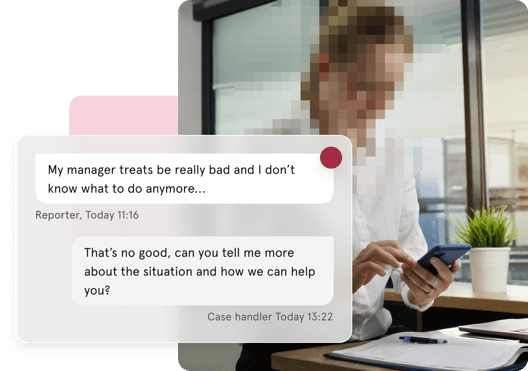
- You and the case handler can communicate directly through the case — you can send messages, ask questions or provide additional information at any time
- The case handler will keep you informed about the progress and outcome of the investigation
- You will receive an email notification whenever the case handler sends a message or updates the case, as long as you provided a notification email address when submitting
💡 All communication between you and the case handler happens within the case. Your anonymity is maintained throughout, even when exchanging messages.
Follow up on your case
After submitting your report, you can follow the progress of your case using your access code.
- Open the Whistleblowing portal link
- Enter your access code
- You can see the current status of your case and any messages from the case handler
- You can send additional information or messages to the case handler directly from the case page
💡If you provided a notification email address when submitting, you will also receive an email notification whenever the case is updated by the case handler.
Case statuses
Your case can have the following statuses:
| Status | What it means |
|---|---|
| Unseen | Your report has been received but not yet opened by a case handler |
| Seen | A case handler has opened your report |
| Open | The case handler is actively working on your case |
| Closed | The case has been concluded |
💡 Once a case is closed, you or the case handler can reopen it within 1 month. After that, the case cannot be reopened.
FAQ
Do I need a Huma account to submit a report?
No. The Whistleblowing portal is external and accessible to anyone. You do not need a Huma account or any login credentials.
Can I attach files to my report?
Not yet. File attachments are not currently supported. You can however provide additional information through messages in the case after submitting.
Will my employer know it was me who reported?
If you choose to remain anonymous, your identity will not be shared with case handlers or anyone else. Huma does not track identifying information such as IP addresses or browser data.
What happens after I submit my report?
Your case is sent to the designated case handlers in your organisation. They will review the report and follow up with you through the case. If you provided a notification email address, you will receive updates by email.
What if I lose my access code?
Unfortunately, there is no way to recover a lost access code. You would need to submit a new report.
Can I reopen a closed case?
Yes. Both you and the case handler can reopen a closed case within 1 month of it being closed. After that, the case cannot be reopened.