
Table of Contents
- Roles and access
- Archive a process
- Delete a process
- Where to find archived processes
- Reactivate an archived process
Roles and access
| Access | Role |
|---|---|
| Archive and delete processes | User role: Miscellaneous → Processes or System role with organisation-wide access |
Archive a process
Archiving a process moves it out of the active list and into the archive, without permanently deleting any data. Archived processes can still be accessed for reference, but they are no longer visible in the active process overview.
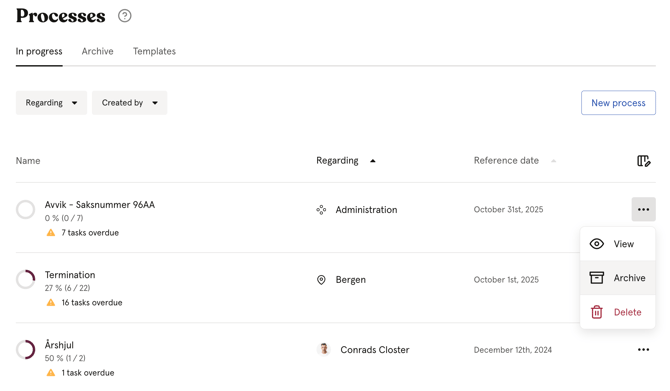
- Go to the Processes module
- Click the three dots next to the process, either in the list or in the top right corner of the specific process
- Click "Archive"
💡 Huma will automatically suggest archiving a process when all tasks have been completed.
💡 We recommend archiving completed processes rather than deleting them, to preserve the history.
Delete a process
You can delete both active and archived processes.
- Go to the Processes module
- Find the process you want to delete, either in the active list or the archive
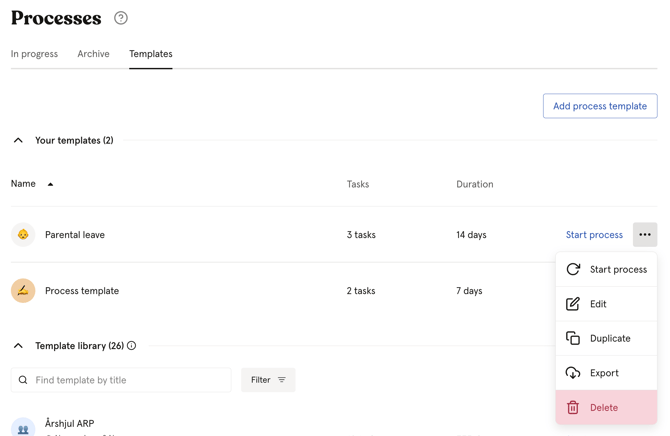
- Click the three dots next to the process
- Click "Delete" and confirm
⚠️ Deleting a process permanently removes it and all its tasks. This cannot be undone. We recommend archiving instead of deleting whenever possible.
Where to find archived processes
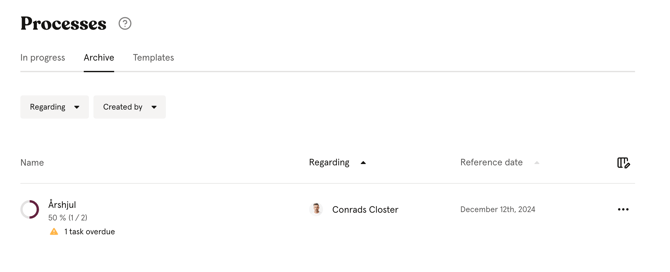
- Go to the Processes module
- Navigate to the "Archive" tab
- Here you will find a list of all archived processes.
💡 Users with a user role can only see archived processes for employees in the groups they have been granted access over. Users with organisation-wide access can see all archived processes.
Reactivate an archived process
You can reactivate an archived process at any time, for example if a process was archived prematurely or needs to be continued.
- Go to the Processes module
- Navigate to the "Archive" tab
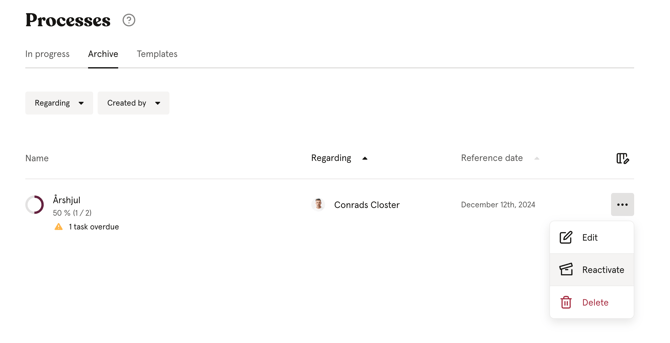
- Click the three dots next to the archived process
- Click "Reactivate process"
- The process will move back to the active list. All tasks remain available for the assigned users.
FAQ
Should I archive or delete a completed process?
We recommend archiving. Archiving preserves all tasks and data for future reference, while deleting removes everything permanently. You can always delete an archived process later if needed.
Can I edit a process after it has been archived?
No. You need to reactivate the process before you can make changes to it.
What happens to tasks in an archived process?
Tasks remain available to the assigned users even after a process is archived. However, no new tasks can be added until the process is reactivated.