
Table of Contents
- How login works in Huma
- Login methods in Huma
- Didn't receive a login code
- Can't log in at all
- FAQ
How login works in Huma
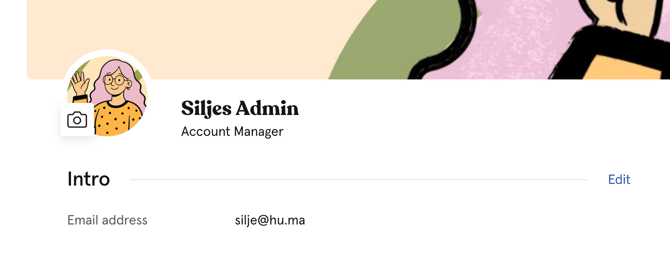
You and your employees log in with the email address registered under "Email address" in the "Intro" section of the profile. This is also the address your login code is sent to, and not necessarily your personal inbox.
If you or an employee isn't sure which email is registered, ask your HR department or another Huma administrator at your company to check it for you. Not everyone with access to Huma can see this field, and an employee who can't log in won't be able to check it themselves.
Login methods in Huma
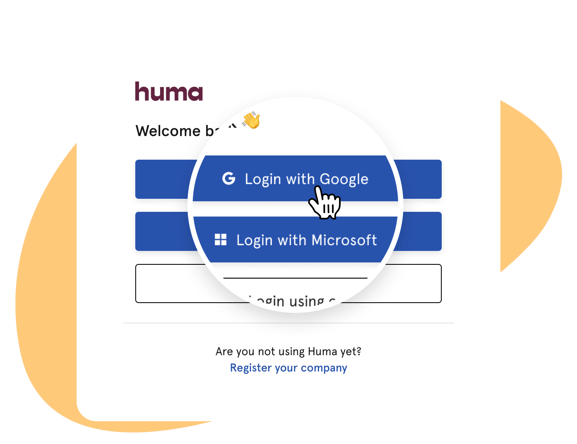
Your organisation has chosen how employees log in to Huma. This could be with an email code, Google, Microsoft, or another login method such as Entra ID, Okta, or another SSO provider.
🔗 Read more about login methods and SSO in Huma.
Employees can log in either by going to their organisation's Huma address (for example companyname.hu.ma), or by going to my.humahr.com and entering their email address.
Didn't receive a login code
If your organisation uses email as a login method, Huma sends a six-digit code to whichever email address is entered on the login screen, given that it matches an email adresses in your Huma account, and not automatically to you as a person. Whether it's you or an employee who didn't receive the code, check the following:
- Check the spam folder.
- It can take a few minutes for the code to arrive. Wait and try again before requesting a new one.
- Make sure the exact email address listed under "Email address," and not "Personal email address," on the profile in Huma is being used. If you don't have access to Huma to check this yourself, ask your HR department or Huma administrator to confirm it.
💡 Note
-
This must be the exact address on file. An email alias or forwarding address (for example name+work@company.com) will not work, even if it delivers to the same inbox.
-
Make sure the user account is active in Huma. If the user account isn't active, Huma does not send a code.
-
If several codes have been requested in a short time, the limit of 5 code requests within 15 minutes may have been reached. Wait 15 minutes before trying again.
-
To request a new code, go back a step in the login flow and re-enter the email address. There is no separate "resend" button.
Can't log in at all
If you or an employee can't log in at all, check the following:
- Make sure the correct organisation address is used (for example companyname.hu.ma), or that the login is via my.humahr.com with the correct email.
- Make sure the email address listed on the profile in Huma is used, not a personal one.
- If the employee has recently received a new work email address, confirm with your IT department that it is correctly updated on their profile in Huma. 🔗 Read more about how to change an employee's email address.
- Make sure the user account is active in Huma.
- If the employee hasn't been invited yet, or their invitation wasn't delivered. 🔗 Read more about inviting employees
- If your organisation uses Google, Microsoft, or another SSO provider, make sure the correct work account is used to sign in.
💡 If none of the steps above help, employees should contact their HR department or another Huma administrator at their company for further help.
FAQ
Why isn't there an error message if the user account isn't active or the email is wrong?
For security reasons, Huma doesn't reveal whether an email address exists in the system. If the code isn't sent, no error is shown. This is why the checklist above matters.
Can I request a new code myself?
Yes. Go back a step in the login flow and re-enter the email address, which sends a new code. There's a limit of 5 requests within 15 minutes.
Does it matter if I use an email alias to log in?
Yes. Huma checks for an exact match against the email address on file. An alias or forwarding address won't work, even if it lands in the same inbox.
What if the employee has changed their email address?
Update it on their profile in Huma. 🔗 Read more about how to change an employee's email address.
Can I change which login method an employee uses?
Login methods are set for the whole organisation, not per employee. 🔗 Read more about login methods and SSO in Huma.
I'm not sure which role I have. Who do I ask?
Contact your system administrator.
Who should an employee contact if nothing here helps?
Their HR department or another Huma administrator at their company.