
Table of Contents
- Other modules in the app
- Roles and access
- Meetings
- News
- Salary
- Competence
- Equipment
- Tasks
- Onboarding, offboarding and processes
- FAQ
Other modules in the app
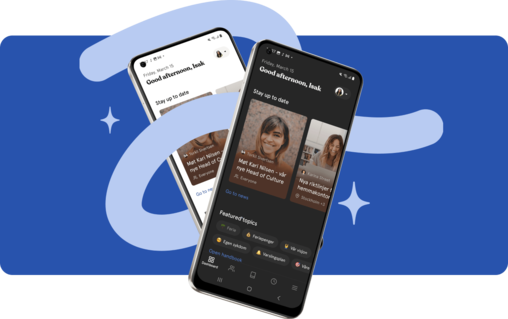
Besides People, Handbook, Absence, Documents and Deviations, you can use several other modules in the app. This article gives you a short overview of what you can do in each module, and what you do in Huma on web.
You find all modules in the Menu. The modules you use most may also appear in the tab bar.
🔗 Read more about navigation and the dashboard in the app
Roles and access
| Access | Role |
|---|---|
| See a module in the app | The module must be enabled for your organisation, and you must have access to it |
| See and do things in a module | Based on your roles and access, just like on web |
| See Onboarding, Offboarding and Processes | Users who can manage them |
💡 The app follows the same roles and access as Huma on web.
Meetings
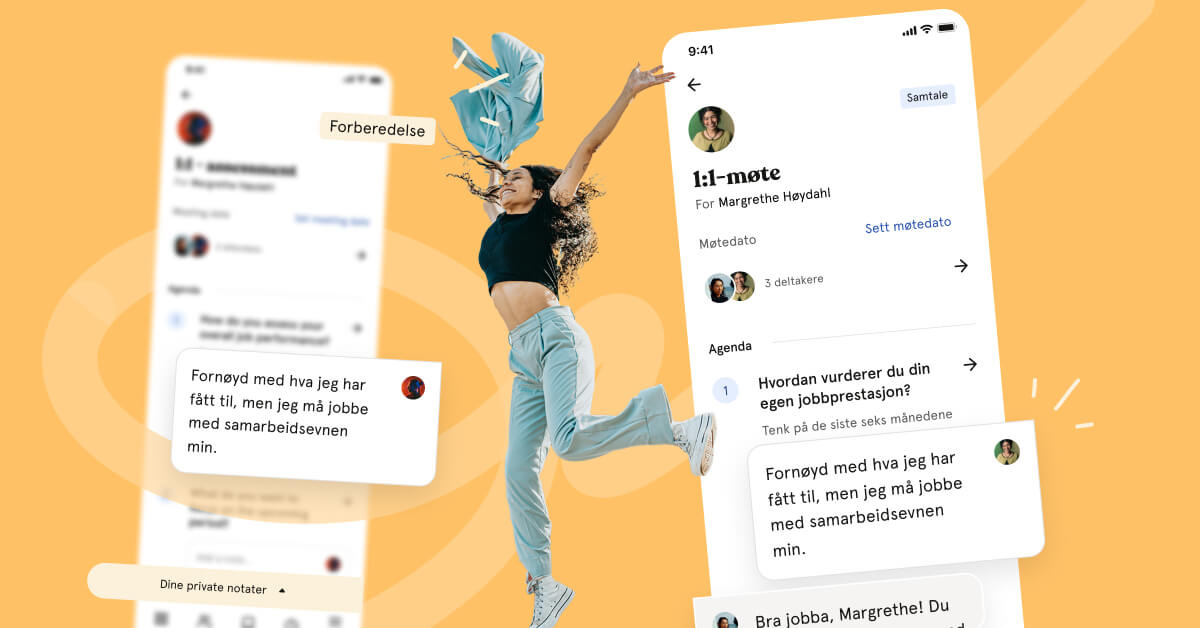
Prepare, hold and follow up meetings, such as 1-on-1s, from your phone.
In the app, you can:
- Tap "New meeting", and choose "Select template" or "Start from scratch"
- Add agenda points and prepare in "Go to Preparation"
- Write notes during the meeting in "Go to Conversation"
- Add a private note that only you can see
- Add a summary and tap "Complete meeting"
- Add the meeting to your phone's calendar
💡 Meeting rounds and meeting templates are set up on web.
🔗 Read more about meetings in Huma
News
Read the latest news from your organisation wherever you are.
In the app, you can:
- Read news articles
- Filter articles by tags
- Translate an article into your language, if translation is available. Tap "Show original" to go back to the original text.
💡 You create and publish news articles on web.
⚠️ Automatically translated content has not been approved by the author and may contain mistakes.
🔗 Read more about the News module
Salary
See salary information you have access to, directly in the app.
In the app, you can:
- See the salary history, with Current and Upcoming salary
- Tap "Add salary" to add a new salary, if you have access
- Edit or delete a salary entry, if you have access
💡 Salary revisions and the salary overview are done on web.
🔗 Read more about salary on employee profiles
Competence
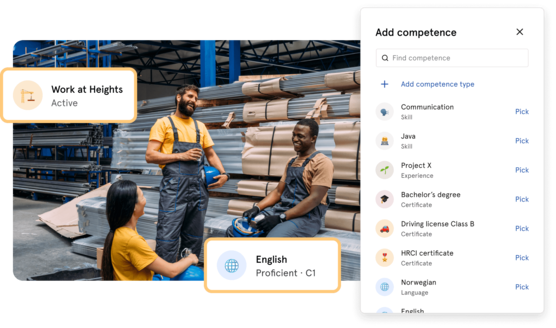
Keep track of your skills, certifications and education.
The Competence page has two tabs:
- Your competence: your own competence
- All competences: competence for the people you have access to see
In the app, you can:
- Tap "Add competence" to add skills, languages, education or certifications
- Tap "Manage documentation" to add documentation, such as a certificate
- See the status, for example expiring, expired or missing documentation
💡 Competence types and gap analysis are set up on web.
🔗 Read more about working with competence
Equipment
See which equipment is assigned to you or your colleagues. You can see the status of each item, for example expired, expiring soon or missing serial number.
The Equipment page has two tabs:
- Your equipment: equipment assigned to you
- All equipment: equipment for the people you have access to see
📱 On Android: You can also add and update equipment, if you have access. On iPhone, you can only view equipment.
💡 Equipment types are set up on web.
🔗 Read more about working with equipment

Tasks
Keep track of your tasks and get them done on the go.
In the app, you can:
- See Your tasks
- Tap "Add task" to create a new task
- Tap "Assign to me" to take a task
- Tap "Mark as completed" when the task is done
- Edit or delete a task
- Add a task to your phone's calendar
🔗 Read more about creating and managing tasks
Onboarding, offboarding and processes
If you manage onboarding, offboarding or other processes, you can follow them up in the app.
In the app, you can:
- See active and archived onboardings, offboardings and processes
- See the tasks in each process, and tap "Add task" to add a new one
- Edit the details of a process
- Archive a process, or tap "Reactivate process" to make it active again
💡 Templates for onboarding, offboarding and processes are set up on web.
🔗 How to work with employee onboarding
FAQ
Why don't I see a module in the app?
The module must be enabled for your organisation, and you must have access to it. Contact your administrator if you are missing a module.
Why can't I add equipment on my iPhone?
Adding and updating equipment is only available in the Android app and on web. On iPhone, you can view equipment.
Can I publish news from the app?
No. You create and publish news articles in Huma on web. In the app, you can read them.
Why don't I see Onboarding, Offboarding or Processes in the Menu?
These modules are only shown to users who can manage them. Employees see their own onboarding tasks under Tasks or on the dashboard.
Is anything different in the app compared to web?
The app covers what you need on the go. For setup, templates, bulk updates and exports, use Huma on web.